A computer worker for your team's web work
For operators and small teams. Describe a job or show it once: Operon does it in a real browser while you watch live, pauses before anything is submitted or paid, and saves it as a skill that replays for a fraction of the cost.
Watch it work, live
The AI worker opens a real browser and does the job step by step while you watch its cursor. Take over at any moment.
Save it as a skill
When a run works, save it. Next time the skill replays the same steps, so routine jobs don't need the AI again.
Put it on a schedule
Run a skill every morning, every Monday or at month end. Results land as files in your workspace.

Get a motor insurance quote
Needs you- Open the insurer's quote page
goto
- Fill vehicle number and owner name
from the uploaded RC copy
- Upload the RC copy
rc-copy.pdf
- Read the quoted premium
saved to quote.csv
- Submit the proposal
Waiting for you to approve
From a sentence to a scheduled skill
No scripts, no connectors to build. If a person can do it in a browser, you can hand it to Operon.
- Pauses before anything final
Submit, pay or delete waits for your approval.
- Files in, files out
Read PDFs and sheets; save results as CSV.
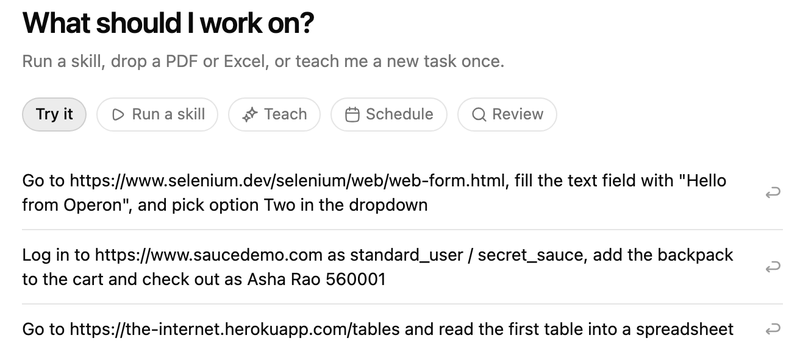 Describe it, or show it onceStep 1Type the job in plain words and attach the files it needs. Teaching is optional: show it once if you prefer.
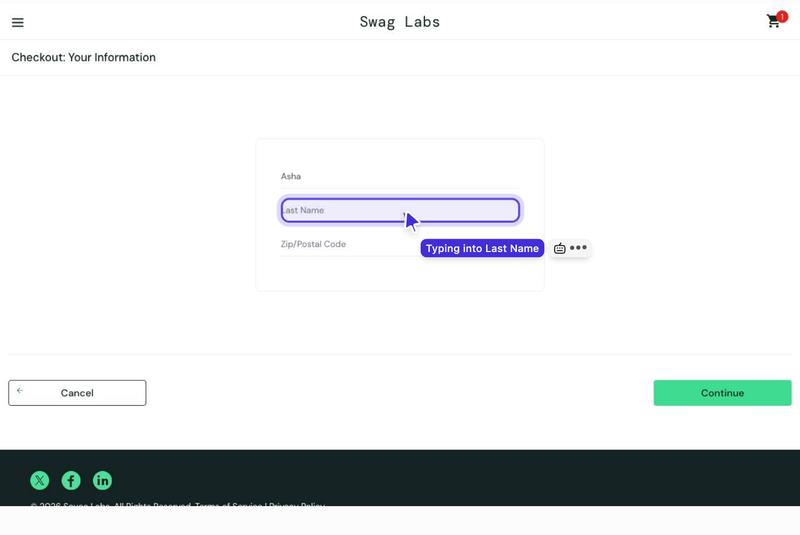 Watch it work liveStep 2The AI worker runs a real browser and moves its own cursor. You see every step and can take over anytime.
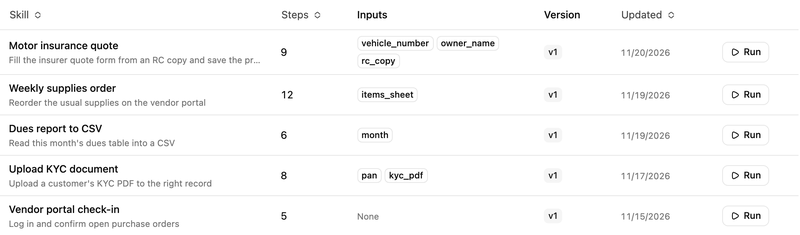 Save it as a skillStep 3One click turns a good run into a skill. Replays follow the saved steps instead of asking the AI again.
 Schedule itStep 4Run skills on a schedule or on demand. Outputs are saved as files you can download.
A computer worker that asks first before anything final
For operators and small teams who spend hours on portals and web apps: hand Operon the job, watch it live, and approve the last click yourself.
By hand or with a script
Write a script or click it yourself
Hope the bot did the right thing
Bots that submit without asking
Runs that die at the login
Pay for the same work every time
Copy and paste field by field
Remember to do it every morning
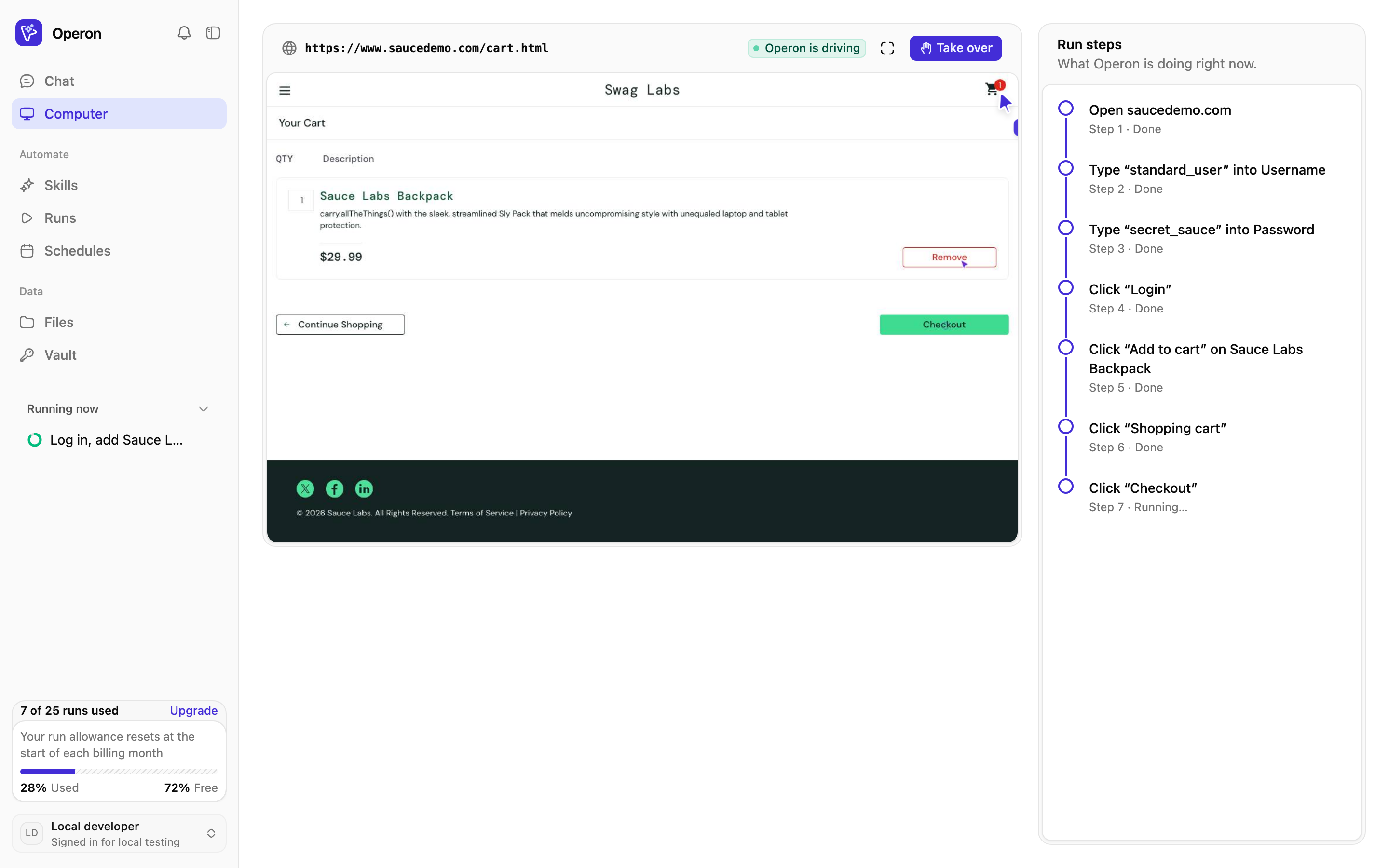
Watch it work, click by click
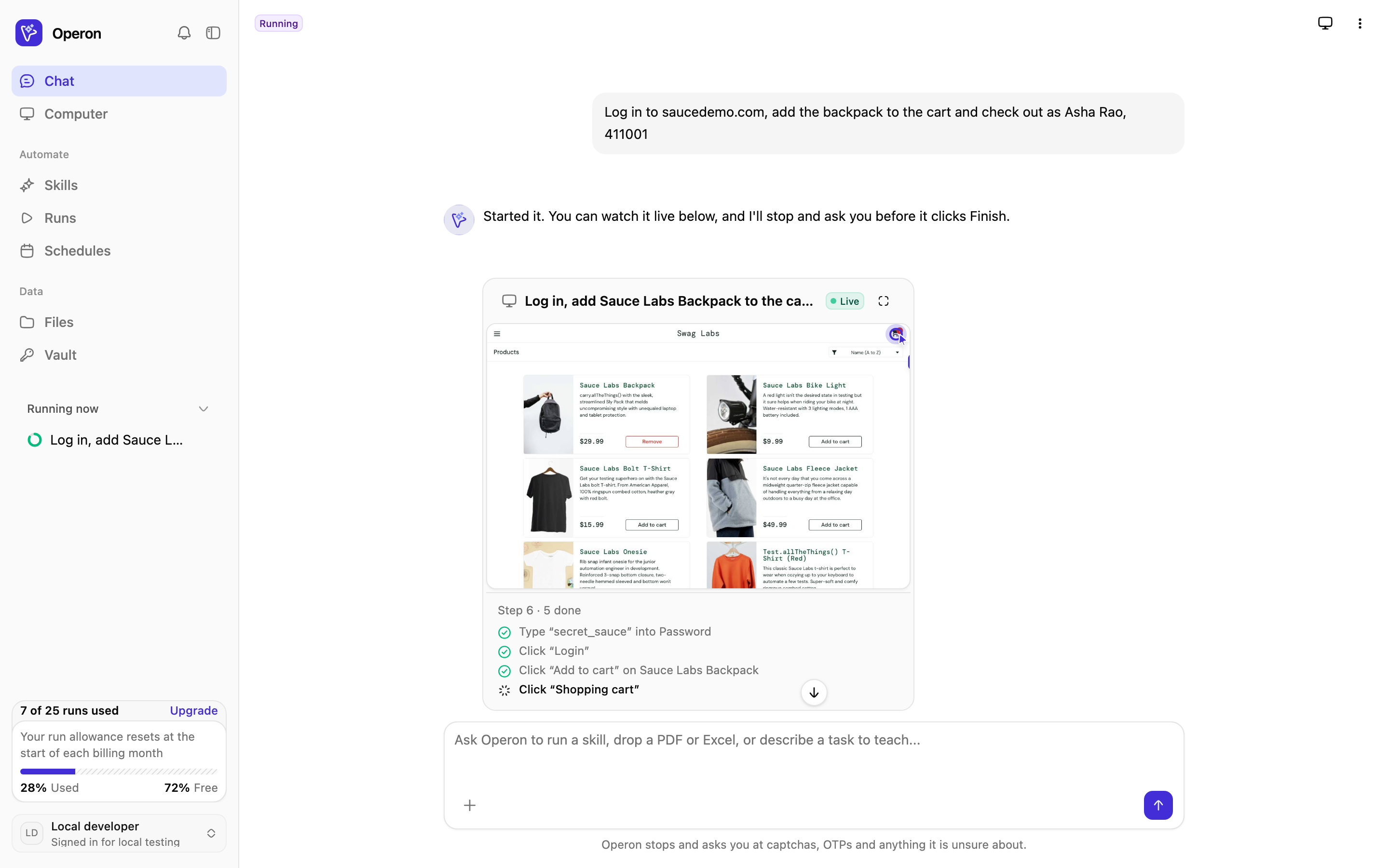
Every run streams into your chat. The AI cursor shows where it is about to click or type, and you can go full screen or take over at any moment.
- Live preview right in the chat, with step-by-step progress
- Captions like "Typing into Email" so you always know what it is doing
- Take over for a captcha or OTP, then hand back
Nothing final happens without you
Before Operon submits, pays or deletes anything, it stops and asks. Approve it, or stop and nothing is sent.
- Approve or stop right from the chat or the Computer panel
- An email when a run finishes, fails or needs you
- Logins and card details stay encrypted in your vault
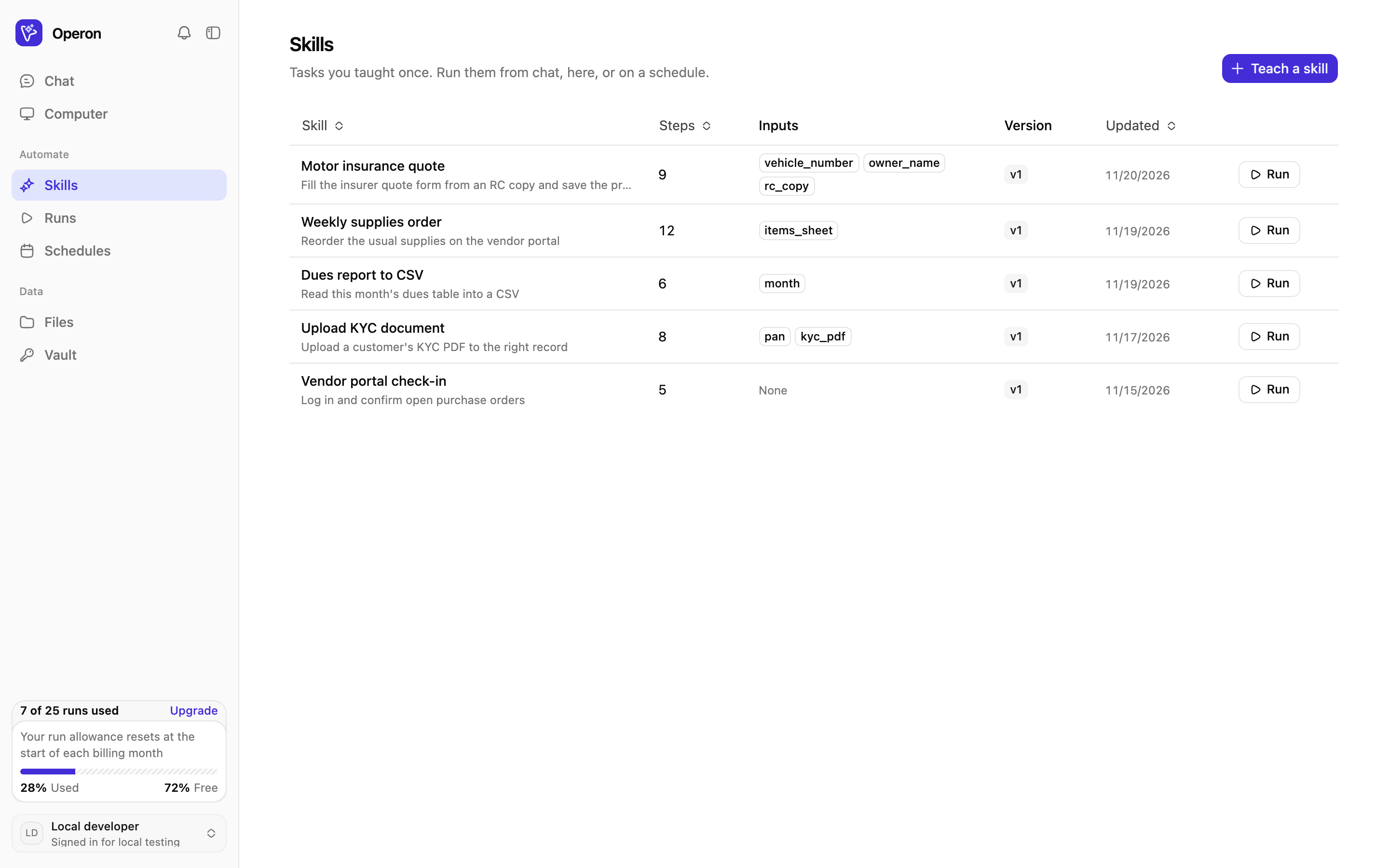
Do it once, replay it for a fraction of the cost
A finished job saves as a skill. Replays follow the saved steps without calling the AI, so the jobs you repeat cost almost nothing.
- Run a skill again with new inputs from a PDF or sheet
- Schedule it daily or weekly
- If a site changes, Operon fixes the step and asks you to keep it
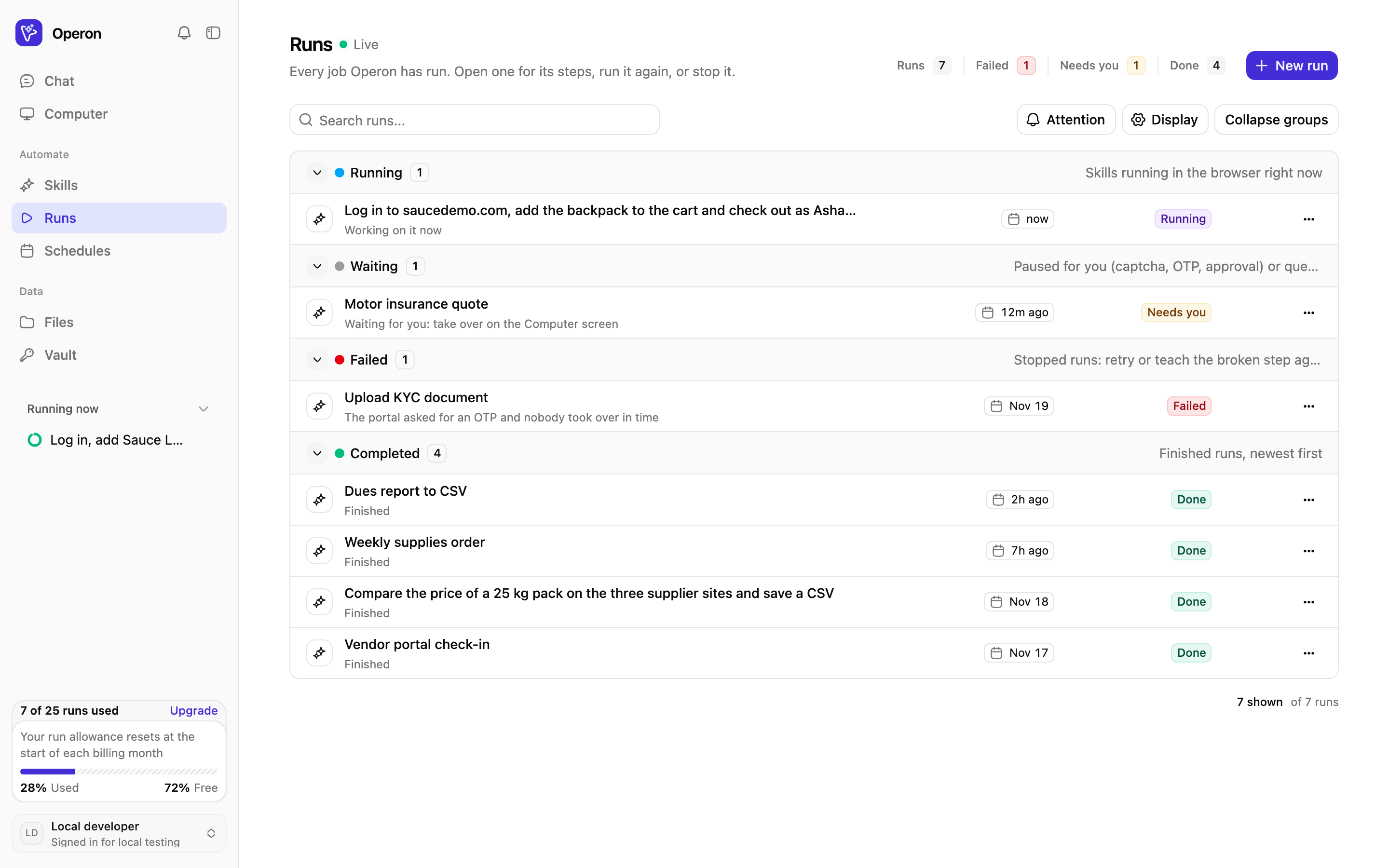
Every job in one place
See what ran, what failed and what is waiting for you. Run any job again with one click, or put a skill on a schedule.
- Failed, needs you, running and done, grouped and searchable
- Open a run to see each step it took
- Daily, weekly or monthly schedules in your time zone
Built for the browser work nobody wants
Repetitive jobs on portals and web apps that have no API, done the way a person would do them.
You stay in control
Operon is built to stop and ask rather than guess on anything that matters.
Simple, run-based pricing
Pay for the jobs Operon runs, not for seats. Start free, upgrade when it earns its keep. Yearly gets 2 months free.
Billing from India is in rupees (UPI or card); everywhere else in US dollars (card).
Questions, answered
What people usually ask before handing their first job to Operon.
Still have a question? Email us
Hand off your first job today
Sign up, describe a browser job you do every week, and watch Operon do it. Save it as a skill when it works.